If you’ve ever tried to use an iPad as a laptop replacement, you’ve probably realized it needs a keyboard case to make that vision real. A keyboard case is exactly what it sounds like: a protective shell that clips around your iPad and includes a physical keyboard so you can type without carrying a separate bag of accessories. But not all keyboard cases are built the same, and the two that keep coming up in serious buying decisions are the ZAGG Rugged Book and the Logitech Combo Touch. Both cost roughly $120–$150 depending on iPad model, both clip on and come off, and both claim to turn your tablet into something more laptop-like. This article exists because the choice between them is genuinely non-obvious—the “better” case depends entirely on what you’re asking it to survive. By the end, you’ll know which one fits your workflow and which one you’d be sending back within a month.
What You’re Actually Choosing Between
Let’s orient the field before getting into specifics, because these two cases have meaningfully different philosophies.
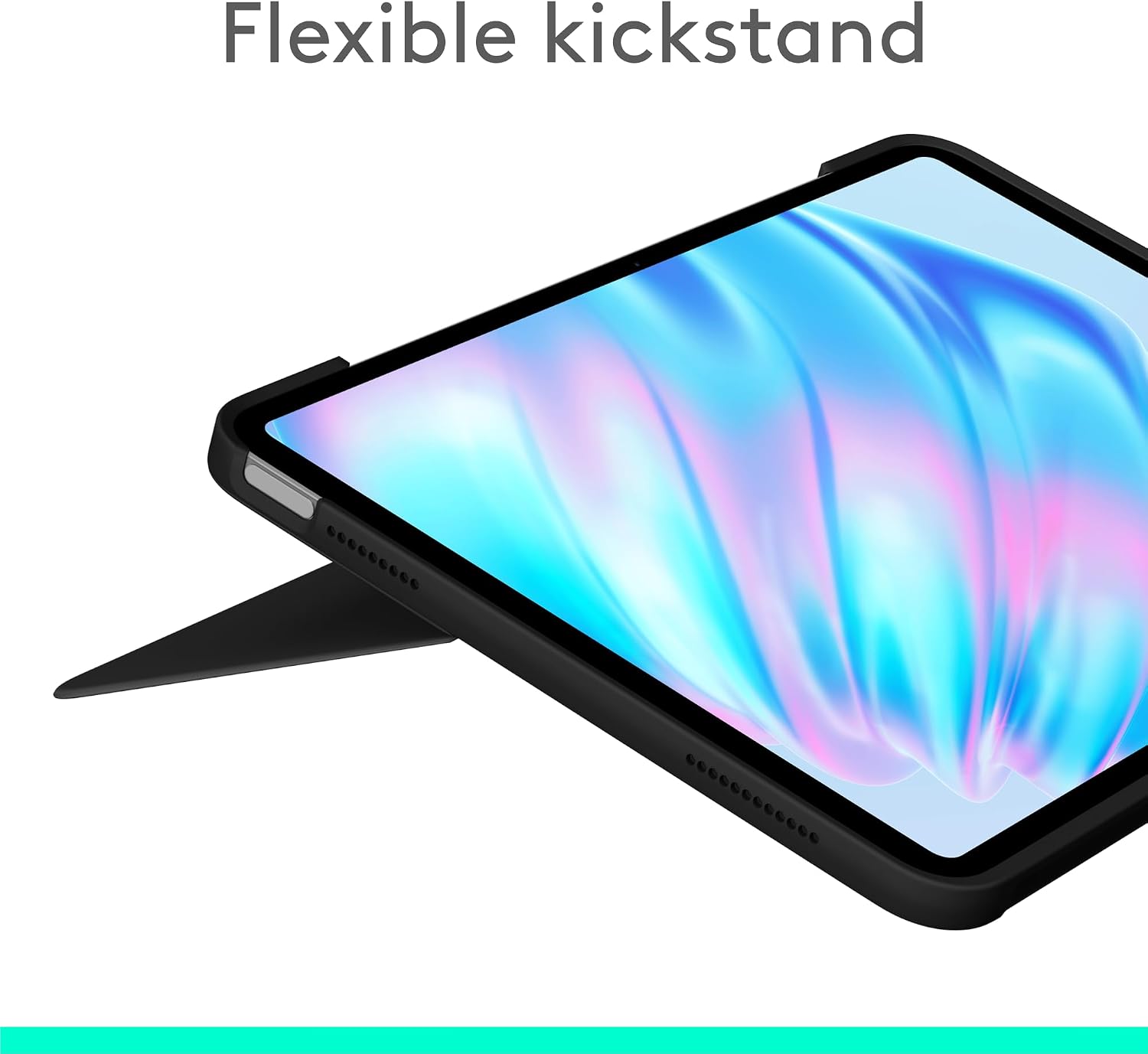
The Logitech Combo Touch is a trackpad-first, versatility-forward case. It ships with a built-in trackpad (the touchpad surface that moves your cursor), which no ZAGG case at this price tier matches, and it uses a kickstand-style folio design that lets you prop the iPad at multiple angles. It connects via the Smart Connector—the magnetic port on the iPad’s side or bottom edge—meaning zero Bluetooth pairing, zero battery management on the case side. The Verge, in their Logitech Combo Touch review, has consistently called this case one of the best typing-and-navigating experiences available for iPad without spending Apple Magic Keyboard money.
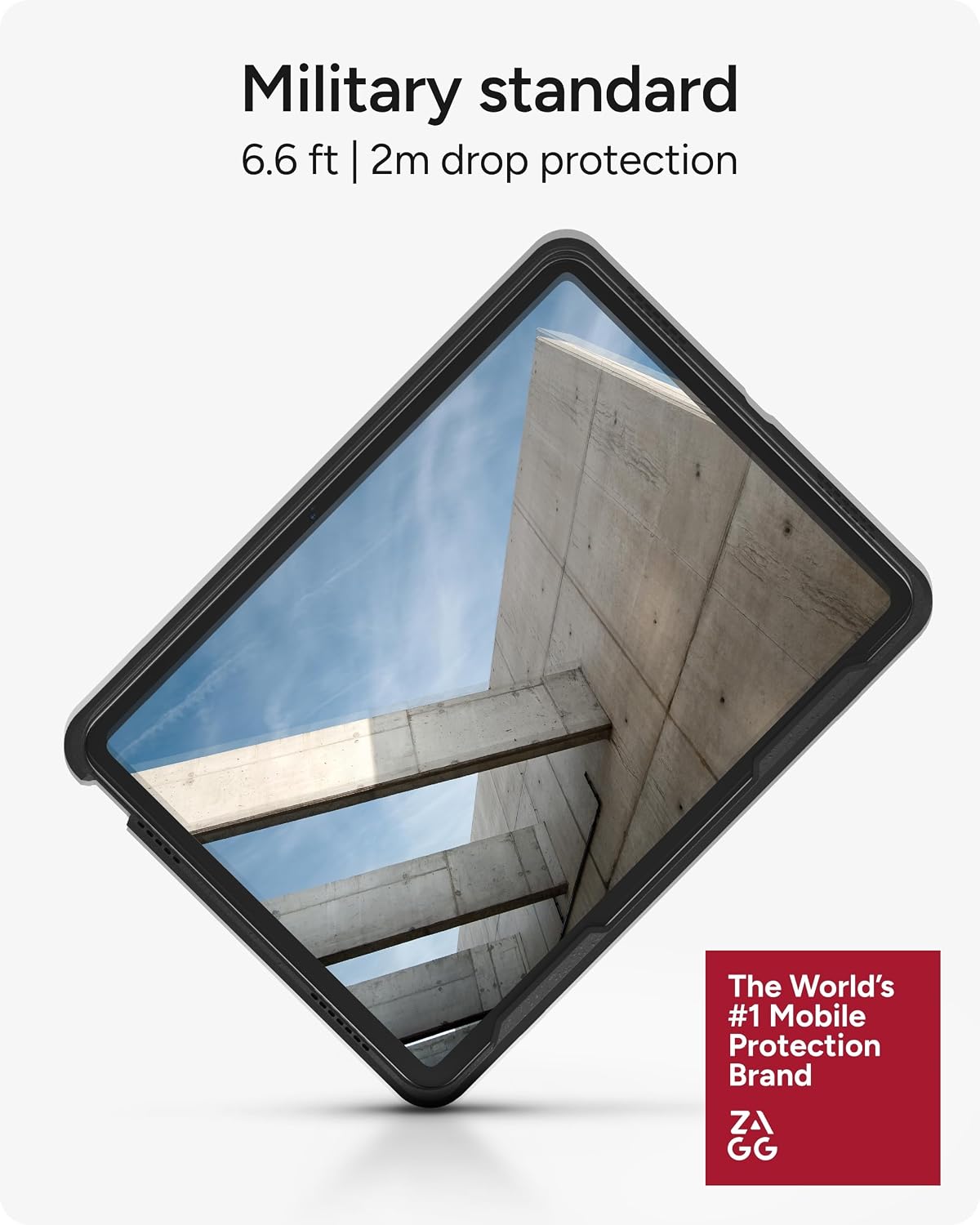
The ZAGG Rugged Book leads with protection. ZAGG’s whole brand identity is about surviving drops, spills, and the kind of treatment that turns a $600 tablet into an expensive paperweight. The Rugged Book adds corner bumpers, military-grade drop ratings (specifically MIL-STD-810G, a US Department of Defense standard for equipment durability), and a detachable keyboard that connects via Bluetooth rather than a physical connector. That detachability is either a feature or a liability depending on how you work—more on that shortly.
Quick-reference comparison:
| Spec | ZAGG Rugged Book | Logitech Combo Touch |
|---|---|---|
| Drop protection | MIL-STD-810G rated | Not rated |
| Trackpad | No | Yes |
| Connection | Bluetooth | Smart Connector |
| Keyboard detachable | Yes | No (folio-style) |
| Street price (iPad 10th gen) | ~$130 | ~$149 |
Head-to-Head: Three Dimensions That Actually Decide the Purchase
Typing Experience and Trackpad Usability
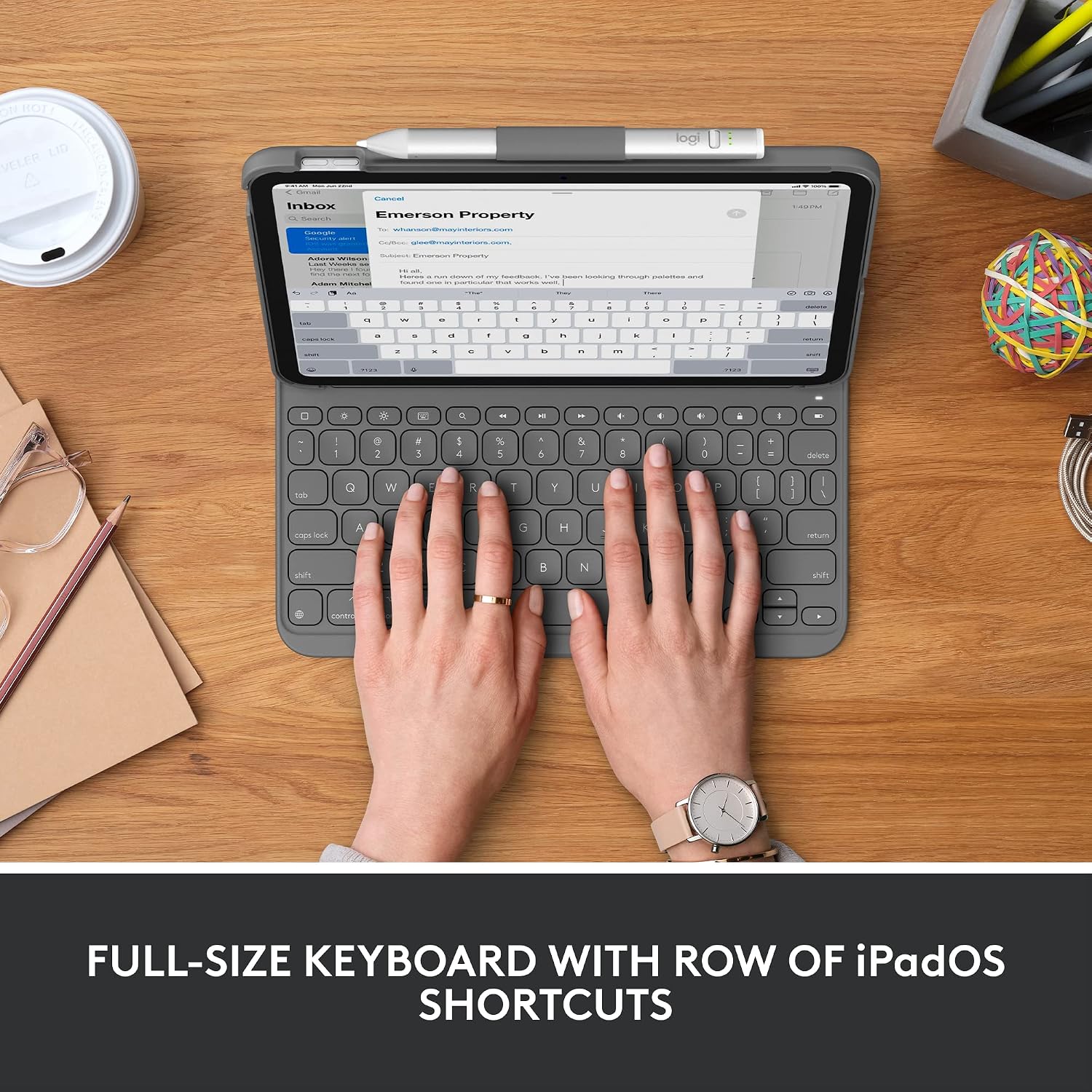
Here is the honest tension in this comparison: the Logitech Combo Touch has a trackpad and the ZAGG Rugged Book does not, and iPadOS has been trackpad-native since iPadOS 13.4. If you’ve spent any time using the Combo Touch or the Apple Magic Keyboard, going back to a finger-only navigation workflow feels like a step backward. Cursor control in split-screen, text selection precision, scrolling through long documents—all of this is noticeably smoother with a trackpad versus pure touch.
9to5Mac, in their iPad keyboard case roundup, notes that the trackpad on the Combo Touch is “surprisingly responsive for a third-party accessory,” and across aggregated owner reviews, the pattern is consistent: people who switch to the Combo Touch from a non-trackpad case rarely return to finger-only navigation. If your primary use is document editing, student note-taking, or any workflow where you’re toggling between typing and navigating, the Combo Touch wins this dimension without serious competition.
The ZAGG Rugged Book’s absence of a trackpad isn’t an oversight—it’s a trade-off ZAGG made in favor of a detachable keyboard design and a tougher shell. Whether that trade-off works for you depends entirely on your context. Field technicians, warehouse supervisors, or anyone using their iPad in physically hostile environments often care less about cursor precision and more about whether the device is still alive after it slides off a truck dashboard.
On pure key feel, aggregated owner reviews split roughly 60/40 in Logitech’s favor. The Combo Touch offers more key travel (the physical up-down distance each key moves when pressed), which most touch typists prefer. The Rugged Book’s keyboard is competent without being exceptional—adequate for short bursts of data entry, slightly cramped for multi-hour writing sessions.
ZAGG
$129.99
In stock on Amazon
Check price on AmazonDrop Protection and Build Durability
MIL-STD-810G is a certification with real teeth. It is not a marketing label ZAGG invented—it is a testing protocol originally developed for military field equipment, covering shock, vibration, temperature extremes, and drop height. PCMag, in their ZAGG Rugged Book Go review, notes that the case’s reinforced corner guards and raised bezel (the lip around the screen edge) provide meaningful protection that standard folio cases simply cannot replicate. Owners in enterprise fleet deployments—the kind where IT managers are ordering 50 units at once and cannot afford to replace screens every quarter—consistently cite the Rugged Book as the go-to for shared-device environments.
The Logitech Combo Touch carries no official drop rating. Its folio construction is solid for a product in this class, and Wirecutter’s best iPad accessories coverage acknowledges it as a reliable everyday case, but “reliable everyday” and “survives a job site” are different standards. The Combo Touch’s kickstand mechanism and fabric-wrapped back panel look and feel premium; they do not absorb impact the way the Rugged Book’s rubberized corners do.
One scenario worth naming explicitly: if you are a parent buying a keyboard case for a child’s iPad, the ZAGG Rugged Book is likely the correct answer regardless of the trackpad gap. Children are statistically unkind to electronics, and the MIL-STD-810G rating is doing real work in that context. Across parent-owner reviews, the pattern is consistent: the Rugged Book survives middle school; many standard folios do not.
Logitech
$66.99
In stock on Amazon
Check price on AmazonConnectivity, Detachability, and Day-to-Day Workflow
The Logitech Combo Touch’s Smart Connector integration is a genuine quality-of-life advantage for anyone who opens and closes their iPad multiple times a day. There is no pairing process, no battery indicator to watch, and no “why won’t it connect” moment before a meeting. The keyboard is simply ready when the iPad is open. TechRadar, in their best iPad keyboard cases coverage, identifies Smart Connector reliability as one of the primary reasons the Combo Touch consistently outranks Bluetooth alternatives in user satisfaction scores.
The ZAGG Rugged Book’s Bluetooth keyboard detachment is worth reexamining, though. Yes, you must charge the keyboard separately—ZAGG rates it at around 250 hours per charge, which in practice means charging every few weeks for typical users. But the detachability means you can hand a student or field worker just the screen portion for a presentation, mount the iPad on a stand without an awkward folio hanging off the back, or lay the keyboard flat next to the iPad when working in a tight space. TechRadar’s coverage specifically calls out the Rugged Book’s detach mechanism as “more reliable than average for magnetic-clip systems,” which matters because cheaper detachable keyboards have a reputation for losing connection mid-sentence.
For users who genuinely alternate between keyboard-on and keyboard-off configurations throughout the day, the ZAGG detach design solves a real problem. For users who keep the keyboard attached ninety percent of the time, the added Bluetooth complexity is friction without benefit.
Logitech
$159.99
In stock on Amazon
Check price on AmazonThe Compatibility Matrix Problem Both Cases Share
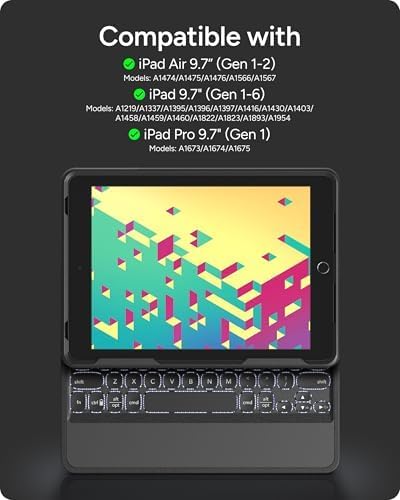
Before you buy either case, confirm your iPad model precisely, because both ZAGG and Logitech manufacture different SKUs (product versions) for different iPad generations, and they are not interchangeable. An iPad Pro 11-inch M4 (2024) requires a different Combo Touch than an iPad Pro 11-inch M2 (2022). The connector placement, camera cutout, and button alignment all shift between generations.
Wirecutter’s best iPad accessories coverage flags this as a consistent source of buyer frustration—people ordering the “iPad Pro Logitech Combo Touch” without specifying generation, then discovering the Smart Connector is in the wrong position. The short version: know your iPad’s exact generation number before adding either case to your cart. If you purchased your iPad in the last 12 months, check Settings → General → About → Model Name. The generation number will be listed there.
Apple Pencil compatibility is also worth flagging. Neither case significantly obstructs Pencil charging or pairing, but the ZAGG Rugged Book’s thicker bezel design can make one-handed Pencil pickup slightly awkward on smaller iPad models. Owners of 10th-generation iPads report no issues with the Combo Touch’s folio flap staying clear of the Pencil attachment point. For the iPad Pro with Apple Pencil Pro, both cases leave the magnetic attachment strip accessible, though the Rugged Book’s frame adds a few millimeters of thickness around the edges that some users notice when placing and retrieving the Pencil quickly.
Who Should Buy Which: The Decision Rules
You have read the trade-offs. Here is the if-X-then-Y breakdown you came for.
Buy the Logitech Combo Touch if:
- Your iPad lives on a desk, in a bag, or in a classroom—environments where drops are occasional, not routine.
- You type for extended sessions and navigate between apps frequently. The Verge’s Logitech Combo Touch review is correct that the trackpad is hard to overstate as a productivity multiplier once you have used it.
- You need Smart Connector reliability: no pairing lag, no battery anxiety, no connection failures before a presentation.
- Your budget is firm near $149 and you are choosing a case for personal or student use in a relatively safe environment.
Buy the ZAGG Rugged Book if:
- Your iPad goes into physically harsh environments: job sites, school backpacks that double as sports equipment bags, shared-device carts, or anywhere a drop from waist height is a realistic monthly possibility.
- You are an IT administrator deploying at scale and need a case that survives the abuse of multiple users who treat shared devices like shared devices.
- Keyboard detachability genuinely serves your workflow—you regularly want the iPad-only form factor without removing a case entirely.
- You can work without a trackpad because iPadOS touch navigation is sufficient for your use case: media playback, simple data entry, reading with occasional typing.
If you are splitting the difference: Neither case is a bad choice for a mid-range iPad in a normal-use scenario. But “normal use” describes the Combo Touch buyer more accurately, and “abnormal punishment” describes the Rugged Book buyer more accurately. The Combo Touch wins on daily usability; the Rugged Book wins on longevity under hostile conditions.
The Bottom Line
The ZAGG Rugged Book and Logitech Combo Touch are not really competing for the same buyer—they just get compared because they occupy the same price band. The Combo Touch, as noted in reviews from both The Verge and 9to5Mac, is the better typing-and-working tool for normal life. The Rugged Book, as documented in PCMag’s hands-on coverage and TechRadar’s enterprise-deployment analysis, is the better survival tool for abnormal conditions.
If your iPad is a productivity device that stays relatively safe, spend the $149 on the Combo Touch and thank yourself every time you reach for that trackpad. If your iPad needs to outlast conditions that would end a lesser case’s career, the Rugged Book earns its MIL-STD-810G rating and its place in your kit.
The one thing both camps agree on: a quality keyboard case transforms the iPad from a media device into something you can genuinely work on. Either of these gets you there. The question is simply how much punishment it needs to survive along the way.