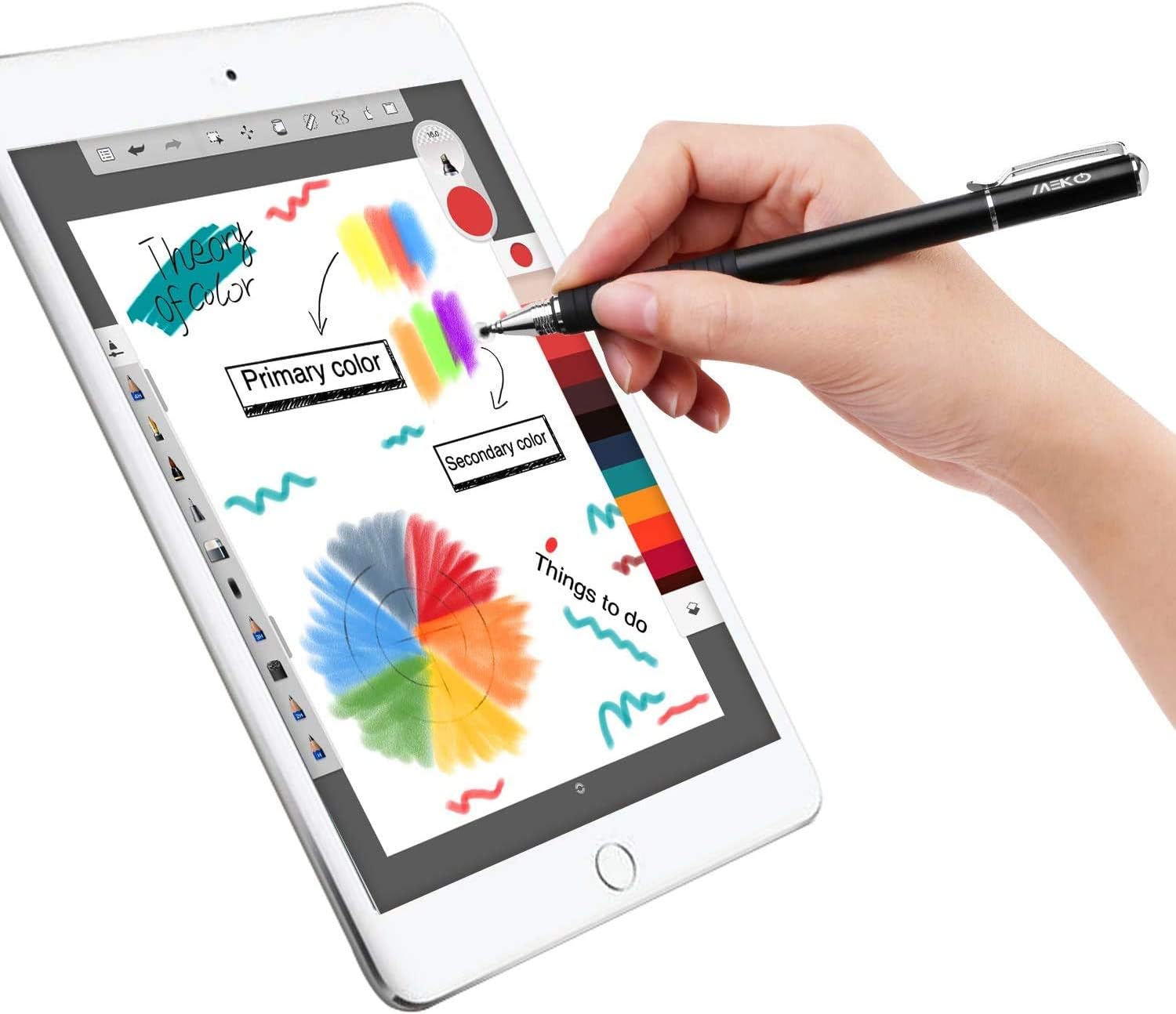
A stylus is just a pen-shaped tool you use to tap, swipe, or draw on a touchscreen — instead of using your finger. A passive stylus (sometimes called a capacitive stylus) is the simplest version: it has no electronics, no Bluetooth, no battery, and no pressure sensor. It works by mimicking the electrical signal your finger sends to the screen. That’s it. You’ll find them bundled in multipacks for $5–$10 on Amazon, tucked into back-to-school aisles, and marketed endlessly at parents buying tablets for kids. The question worth asking before you add one to your cart is straightforward: what does that price point actually deliver, and when does “good enough” become “frustrating enough to end up in a drawer”? This guide answers that — with clear tradeoffs and a decision rule at the end.
What a Passive Stylus Actually Does (And Doesn’t)
Let’s set the baseline expectations honestly, because a lot of disappointment with $5–$10 styluses comes from people expecting active-stylus behavior at passive-stylus prices.
What you’re getting: A conductive tip — usually rubber, silicone, or a fine mesh disc — that registers as a finger tap on any capacitive touchscreen. That covers virtually every modern tablet: iPads, Amazon Fire HD tablets, Samsung Galaxy Tabs, Lenovo Tab series, and Android tablets generally. No pairing, no charging, no driver installation. You uncap it and it works.
What you’re not getting: Pressure sensitivity (the ability for the app to read how hard you’re pressing and vary the line weight), tilt detection, palm rejection (a feature that tells the tablet to ignore your hand while you write), or pixel-level precision. The Verge’s stylus roundup consistently notes that passive tips — particularly wide rubber nibs — have a contact area several millimeters wide, making fine lettering and illustration a genuinely frustrating experience compared to an active stylus with a 0.5mm–1mm tip.
PCMag’s stylus guide frames the tradeoff plainly: passive styli are input-agnostic (work everywhere, no compatibility matrix to manage) but capability-limited. Active styli like the Apple Pencil or Samsung S Pen are compatibility-specific but deliver a fundamentally different experience. These are different tools for different jobs — not a hierarchy where one is broken.
The tip type matters more than the brand at this price: Passive styluses come in two dominant tip styles. The wide rubber dome (typically 6mm–10mm) is cheap to manufacture but imprecise. The disc nib or fiber tip (typically 4mm–6mm) gives a narrower contact point and slightly better accuracy. Owners across aggregated reviews consistently report that disc-nib styli feel noticeably more precise for writing and coloring-book-style apps, especially on the smaller screens of 8” Fire HD tablets. If you’re choosing within the $5–$10 range, this distinction is the most useful one to optimize on.
The Real-World Use Cases Where $5–$10 Works Fine
Here’s where the practitioner framing matters: this isn’t a question of whether budget passive styli are “good.” It’s a question of whether they’re good for the job you have in mind. Three use cases hold up well.
1. Kids’ Tablets and Coloring/Drawing Apps
For a child using a Fire HD 10 Kids or a Lenovo Tab M10 with a coloring app, a drawing game, or a simple painting app, a passive stylus adds genuine value. It keeps greasy fingers off the screen, gives smaller hands better leverage, and reduces the smear-and-tap chaos that comes with finger-only use. Creative Bloq’s coverage of kids’ drawing tablets notes that precision isn’t the primary requirement here — engagement and durability are. A $7 multipack that includes three styluses means one lost and one chewed stylus still leaves you with a functional one.
The key constraint to communicate: coloring apps like Colorfy or drawing apps like Drawing for Kids on Fire OS work exactly as expected. Apps that require pressure sensitivity (like Procreate’s full brush engine) won’t respond to pressure at all — the line weight will be uniform regardless of how hard your child presses. For the age group and use case, that’s typically fine.
2. Navigation and Form-Filling on Any Tablet
For adults who just want to tap, scroll, and fill out forms without fingerprint smudges — on an airplane, in a meeting, or with gloves nearby — a passive stylus works cleanly. Android Authority’s stylus guide explicitly recommends passive styli for “light navigation and basic annotation” as a category, distinguishing them from drawing or note-taking tools. If you’re deploying tablets in a retail or light-field context where staff are just tapping confirmation buttons or scrolling through inventory, this price tier is defensible.
3. Casual Note-Taking on Lined-Note Apps
For adults who want to jot quick notes in OneNote, Samsung Notes (on a Galaxy Tab), or Apple Notes with simple block lettering — not handwriting that needs to look like handwriting — a disc-nib passive stylus can do the job. The letters won’t be as clean as with an active stylus, but for capturing a phone number or a quick bullet list, it’s functional. TechRadar’s iPad stylus guide draws this line clearly: “If your goal is cursive writing or signature-quality script, a passive stylus will frustrate you. For block caps and simple annotation, it’s workable.”
Where the $5–$10 Range Genuinely Falls Short
The honest tradeoffs, named explicitly:
Handwriting recognition is unreliable. Apps like GoodNotes, Notability, or Apple Notes’ “convert to text” feature rely on stroke precision. The contact-area width of a passive nib introduces enough ambiguity that characters get misread regularly. Owners across reviews of low-cost styli consistently flag this — the converted text drifts toward gibberish faster than with an active stylus. If handwriting-to-text conversion matters, budget $49+ for an entry-level active option.
No palm rejection means awkward posture. Every capacitive touchscreen reads your palm as a large finger when it touches the surface. With an active stylus, the tablet’s software can identify the stylus’s Bluetooth/proprietary signal and reject palm input automatically. With a passive stylus, you have to hover your hand — which is tiring and teaches bad writing posture. For kids especially, this is a real issue if you’re hoping to use tablet writing as handwriting practice.
Illustration is borderline unusable for anything serious. For a parent considering whether a budget passive stylus could support a child’s drawing hobby as it develops: it won’t scale. Procreate (iPad) and the Clip Studio Paint mobile apps rely on pressure data to vary brush behavior. A passive stylus delivers a single flat signal. Creative Bloq’s assessment of drawing tools for children notes this limitation clearly: passive styli cap out at “coloring book” use cases and are unsuitable for developing illustrators. That’s not a failure of the tool — it’s just the ceiling.
By the Numbers
| Feature | Passive ($5–$10) | Entry Active (e.g., Adonit Dash 4, ~$30) | Apple Pencil USB-C (~$79) |
|---|---|---|---|
| Pressure levels | None | None–256 | 4,096 |
| Tip width | 4–10 mm | ~1.9 mm | ~1 mm |
| Palm rejection | No | Limited | Yes (paired iPad) |
| Compatibility | Any capacitive screen | Most tablets | iPad only |
| Battery required | No | Yes (charge) | Yes (charge) |
Sources: published spec sheets and PCMag and TechRadar stylus category guides, 2025.
What the Market Actually Looks Like in Mid-2026
The $5–$10 passive stylus market is crowded and largely commoditized. Brand differentiation is minimal — the same disc-nib mechanisms show up under dozens of labels. What to look for:
- Disc or fiber nib over rubber dome — the single most impactful spec at this price
- Clip for attachment — reduces loss significantly for kids
- Multipack (3+ units) — breakeven on per-unit cost within the same price tier
- Length ≥ 5 inches — short styli (under 4”) are awkward for adult hands
The one thing you genuinely cannot buy for $5–$10 in 2026 is palm rejection or pressure sensitivity. Those features require electronics. No branding or nib material changes that. PCMag’s guide puts a hard floor on functional active styli at around $30 (third-party) to $79 (Apple Pencil USB-C), and that hasn’t shifted meaningfully with inflation.
The Decision Rule
Here’s the if/then frame:
If the tablet is for a child under 10, used for coloring or drawing games, and precision isn’t the priority — then a $5–$10 multipack disc-nib stylus is the right call. It’s genuinely fit for purpose, and a multipack means losses are cheap.
If the use case is light adult navigation, smudge prevention, or simple block-letter annotation — then a single disc-nib stylus in the $8–$10 range is a reasonable small purchase with no downside.
If anyone in the household wants to practice handwriting, do signature-quality lettering, or use apps that depend on pressure (Procreate, Clip Studio Paint, Notability’s ink engine) — then skip this tier entirely and go straight to a $30–$79 entry-level active stylus. The $5–$10 option will frustrate rather than serve, and you’ll end up spending the money twice.
The passive stylus isn’t broken — it’s just a narrow tool. Know the ceiling before you buy, and it’s money well spent for the right job.